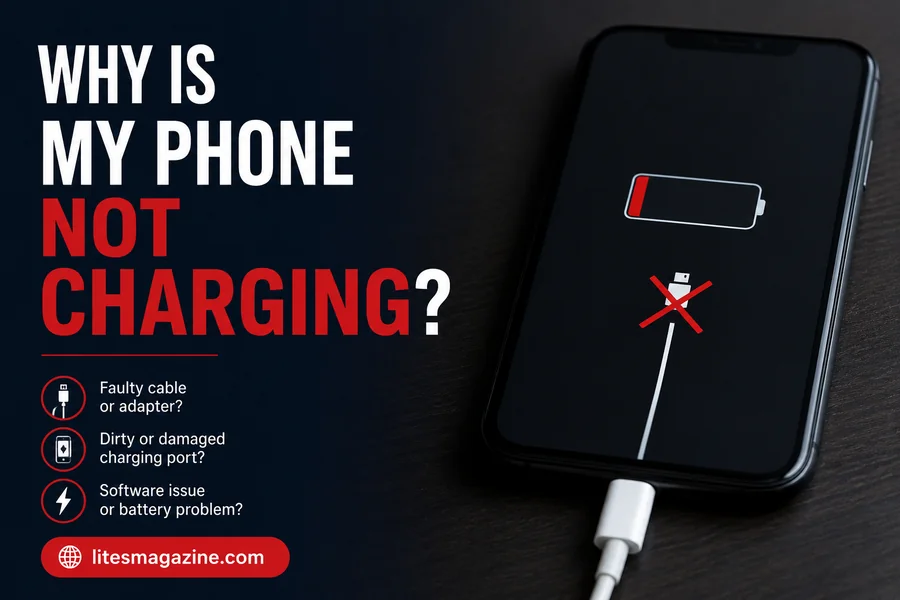
You plug your phone in. Nothing. No sound, no icon, no sign of life. Just a dead screen.
Before you panic or start Googling “new phone deals,” take a breath. Why is my phone not charging is one of the most searched phone questions online — and in most cases, the fix is something embarrassingly simple. A dirty port. A bad cable. A frozen system. Stuff you can fix in two minutes at home.
This article walks you through every real cause and every real fix. No fluff, no guesswork.
Why Is My Phone Not Charging? Start Here
People usually immediately point to the battery or think that the phone is broken. That’s usually wrong.
In reality, it’s one of the following five things that is causing the problem: a damaged cable, a clogged charging port, a dead adapter, a software freeze or a battery that has been drained too far to show any life.
Move from left to right. The cure is typically in the first three steps.
Read Also: Why Do My AirPods Keep Disconnecting? (And How To Fix It)
The Charging Cable Is Probably the Problem
Cables fail quietly. The outside looks fine but the wires inside are already broken — bent one too many times, yanked out at the wrong angle, or just worn out from daily use.
Grab a different cable. Any cable that fits. Plug your phone in and see what happens.
If it starts charging, that’s your answer. Throw the old cable out. Don’t tape it, don’t baby it — just replace it. A bad cable will keep causing problems and can damage your port over time.
When you buy a replacement, spend a little more. Cheap cables from no-name brands cut corners on the wiring inside and usually fail within weeks.

Check the Charging Port — It’s Probably Full of Lint
This one surprises a lot of people. Your charging port sits open at the bottom of your phone, facing downward in your pocket all day. Lint packs in slowly over weeks and months until one day the charger can’t make a solid connection anymore.
Power your phone off first. Then take a toothpick — wooden, not metal — and gently scrape along the inner edges of the port. You’ll likely pull out a small clump of compacted lint. Do it carefully, don’t force anything, and don’t poke straight at the center pins.
After cleaning, blow in gently or use compressed air if you have it. Then plug your charger back in.
A lot of people who think their charging port is broken just have a dirty one. Clean it first before assuming anything worse.
The Adapter Might Be Dead Too
People forget about the little brick that plugs into the wall. It has circuits inside. Those circuits fail. Ports inside the adapter crack or corrode.
The easiest test: use the exact same cable with a completely different adapter. If your phone starts charging, the original adapter is the problem — not your phone.
You can also plug the cable into a laptop’s USB port as a quick test. It’ll charge slower but it’ll tell you if the phone itself is working fine.
Try a Different Outlet
Sounds obvious. People still skip this.
The outlet you always use might have stopped working. The power strip might be overloaded. The USB port in your car might not deliver enough power for your phone’s current battery state.
Plug something else into the same outlet. A lamp, a fan, anything. If it doesn’t work either, you found the problem — and it had nothing to do with your phone.
Force Restart Your Phone — This Works More Than You’d Think
Software crashes and your phone operates on software. Sometimes the charging system can appear to stop working as if it’s a hardware problem when in fact it isn’t. Aided by a force restart.
On iPhone with Face ID: Touch and release the Volume Up button, touch and release the Volume Down button, and then hold down the Side button until the Apple logo shows up.
On older iPhones: Hold down Home and Power buttons for about 10 seconds.
On most Android devices: Hold down the Power button for 10-15 seconds. Some need to be pressed down in combination with Power.
After the phone restarts, plug the phone in. If it was a software issue, it’s fine, it’s not hardware related.
If the Battery Is Completely Dead, Just Wait
After being at 0% for hours, at times the phone needs 10 to 20 minutes to start performing and appear on the screen. The battery must be big enough to act as an energy storage to power the display first.
Connect it to a wall socket (not laptop or car port) and allow it to stand for 20-30 minutes. If nothing happens, stop pressing buttons! Just wait.
This is normal behavior and not a problem.
Overheating Stops Charging Automatically
If your cell phone is hot, don’t charge it. This is by design — the phone stops charging if there is too much heat in the battery.
This occurs following prolonged gaming sessions, after spending time in a hot vehicle or on a hot summer day.
Take the case off. Place the phone in a cool place. Give it 10 minutes. Avoid refrigerating it as this will lead to condensation and damage by moisture. Simply allow to cool down naturally and then reconnect it to the power supply.
Moisture in the Port Blocks Charging
The iPhone and many new Android phones recognise water in the charging port and will not charge — it is not a problem.
If this occurs, refrain from pushing the charger in. Shake the phone gently downward to get rid of any water. Let it dry in a dry room for 30-60 minutes. Use wireless charging if the phone is compatible, as a temporary solution until the port is dry.
Read Also: Why Do I Keep Biting My Cheek? 7 Hidden Causes You Didn’t Know
Quick Answer For Common Questions
| Question | Short Answer |
| Why is my phone not charging even when plugged in? | Most likely a dirty port, bad cable, or dead adapter. Try swapping the cable first. |
| How do I fix a phone that won’t charge? | Clean the port, swap the cable, try a new adapter, force restart, and check the outlet. |
| Can a software bug stop my phone from charging? | Yes. A frozen OS can block charging. Force restart the phone and try again. |
| Why does my phone say it’s charging but the battery isn’t going up? | It’s draining as fast as it charges. Close background apps and use a faster wall adapter. |
| Is it bad to charge your phone overnight? | Modern phones handle this okay, but long-term heat from overnight charging does wear down battery health. |
| Why is my phone charging really slowly? | Weak power source, low-quality cable, or heavy app activity while charging. Use the original adapter and close apps. |
| How do I know if my charging port is broken? | The cable feels loose, only charges at a specific angle, or you can see physical damage inside the port. |
| Can a dead battery cause charging to fail? | Yes. A fully dead or swollen battery may not respond to charging at all. It may need replacing. |
Step-by-Step Diagnosis — Work Through This in Order
Don’t go back and forth. Stick to the order.
Step 1 – Change the cable. Use an entirely new one. Step 2 – Use another adapter. Use the same cable but a different brick. Step 3 – Plug into another wall socket. Step 4 – Clean the charging port. Use a toothpick. Step 5 – Force start your phone. This step must be done. Step 6 – If your phone has no battery, plug it for 30 minutes. Step 7 – If the device feels hot or wet, give it time to cool down or dry up. Step 8 – Start the phone in Safe Mode (for Android phones). Press the power button, then hold the option to turn off the device and choose Safe Mode. If it charges in Safe Mode, some third-party application causes the issue. Step 9 – Ensure that there’s no system update pending. Sometimes, the OS doesn’t update properly, causing charging issues. Step 10 – Take it for repair. If none of the steps mentioned above work, the hardware is at fault.
Most people solve the problem through steps 1 to 5.
When to Stop DIY-ing and Just Go to a Repair Shop
There are also cases when do-it-yourself methods just won’t work.
In the case of a visibly damaged charging port (bent pins, cracks, any other signs), it should be professionally repaired. And if the port feels loose and unplugs by itself without your intervention, the port will probably require replacement.
If the back of your device has swelled up, stop charging your smartphone immediately. This means there’s an issue with the battery which poses a threat of fire. Don’t charge it, don’t put it into drawers. Go straight to a store.
Additionally, it would be wise to find out whether your device still has a valid manufacturer warranty. They cover more than many think.
Habits That Prevent Charging Problems
| What to Do | Why It Matters |
| Use quality cables — not the cheapest you can find | Thin wiring in budget cables breaks fast and can damage the port |
| Don’t yank the cable out sideways | Bends the port pins little by little until they stop working |
| Clean the port every few weeks | Lint builds up silently and slowly kills the connection |
| Don’t charge in direct heat or sunlight | Heat is the fastest way to age a battery |
| Try not to let the battery hit 0% every day | Regular deep drains wear the battery out faster |
| Keep your phone’s software updated | Charging bugs get patched in updates regularly |
The Bottom Line
So, why is my phone not charging?
There’s a reason your phone is not charging.The reason your phone won’t power up does not necessarily mean the phone is broken. It will be a cable, a dirty port or a software freeze, nine times out of ten. All these require 5 minutes or less to correct.
Follow the steps above, one after another. Dumbbells are the easiest piece of equipment to begin with. Save money until you have considered free fixes first.
If you’ve done everything here and it still will not charge, then yes — take it somewhere. But most readers of this will not need to go that far.
FAQs:
Q: Why is my phone not charging?
It is impossible to charge your cell phone if there is damage to the cord, the charging jack is dirty, the adapter is faulty, the program hangs, or if there is no charge left on the battery. However, it would be wise to check the other alternatives first if you suspect any of these problems.
Q: How do I fix my phone if it’s not charging?
If you need a temporary solution, then you can try changing out the cable or swapping the adapter or even the plug. An easy hack that you might use is to do a power cycle of your phone. If the battery runs out, let the phone stay charged for half an hour.
Q: Why is my phone plugged in but not charging?
Your cell phone won’t charge even if the charger is connected to the phone. There could be several reasons for that problem, including damaged cords or adaptors, blocked charging ports, or software issues with the cell phone.
Q: Can a dirty charging port stop my phone from charging?
Yes. Dust particles accumulate in the charging port and prevent the phone from charging due to an obstruction in the port. This can be solved by cleaning the port using a wooden toothpick.
Q: Why does my phone show it’s charging but the battery won’t go up?
The battery discharges just as rapidly as it charges. This suggests that either the adapter is too weak or there is an application running in the background. It may also indicate that the battery is almost dead. Try using the wall adapter and ensure that no other application is running.
Q: Is my phone broken if it won’t charge?
Not necessarily. Most phones that won’t charge have a simple external problem — a bad cable, a dirty port, or a dead adapter. Only consider a hardware fault if the problem continues after trying multiple cables, adapters, and outlets.
Q: Why does my phone charge slowly?
Charging speed can be slow due to the use of the laptop’s USB port instead of the wall adapter, the use of poor-quality cables, or the use of power-hungry applications during the charging process.
Q: How do I know if my charging port is damaged?
Signs of a damaged charging port include a cable that feels loose or keeps falling out, charging that only works at a specific angle, and visible damage or bent pins inside the port. A damaged port needs professional repair.
Q: Can overheating stop my phone from charging?
Yes. Phones automatically stop charging when they overheat to protect the battery. Remove the phone case, move the phone to a cool area, and wait 10 minutes before plugging it back in.
Q: Should I take my phone to a repair shop if it won’t charge?
Only after you have ruled out the common causes — bad cable, dirty port, dead adapter, and software glitch. If none of those fix the problem, or if the battery is swollen, take it to a repair shop immediately.
Read More Articles: Why Do I Keep Biting My Cheek? 7 Hidden Causes You Didn’t Know