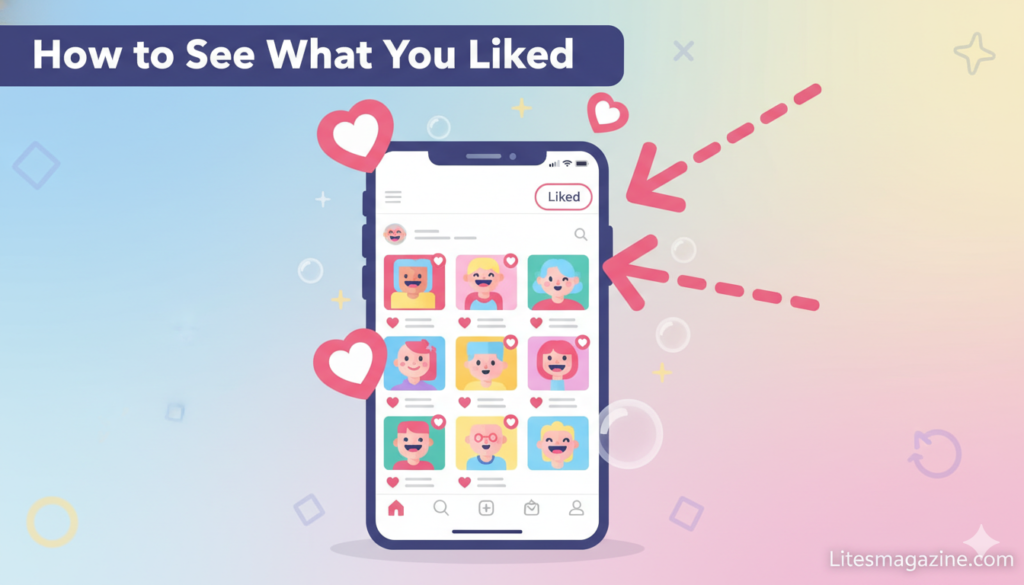
How to see what you liked on Instagram is a common question for users wanting to revisit content they’ve previously engaged with on the platform.
Instagram stores all your liked posts in a dedicated section accessible through your activity settings, allowing you to view up to 300 of your most recently liked photos, videos, and Reels.
Whether you’re searching for a recipe you saved, a meme you want to share with friends, or simply want to review your engagement history, accessing your liked posts takes just a few taps.
Table of Contents
How to See What You Liked on Instagram?

Understanding how to access your liked Instagram content serves multiple practical purposes that enhance your social media experience.
Finding saved inspiration becomes effortless when you can quickly locate posts you’ve liked. That recipe, outfit idea, or travel destination is just a few taps away instead of endless scrolling.
Curating content for sharing with friends improves when you have a searchable history. You can instantly pull up that hilarious meme or impressive artwork to show others.
Managing your digital footprint matters in 2026. Reviewing what you’ve liked helps you unlike content that no longer aligns with your interests or values.
Instagram’s 300 Post Limit Explained
Instagram currently limits liked post viewing to your 300 most recent interactions. This restriction affects how you access older content.
The 300 post cap means older likes disappear from your viewable history. If you’re an active user who likes dozens of posts daily, content from weeks ago may already be inaccessible.
Instagram implements this limit for performance and privacy reasons. Storing unlimited interaction history for billions of users would require massive database resources.
Workarounds exist for accessing older liked content. Downloading your Instagram data provides a complete archive, though it requires more technical steps we’ll cover later.
How to See Liked Posts on iPhone (iOS)
iPhone users can access their liked posts through Instagram’s native app interface in 2026. The process takes less than 30 seconds.
Open the Instagram app on your iPhone. Make sure you’re logged into the account whose likes you want to view.
Tap your profile picture icon in the bottom-right corner. This takes you to your Instagram profile page.
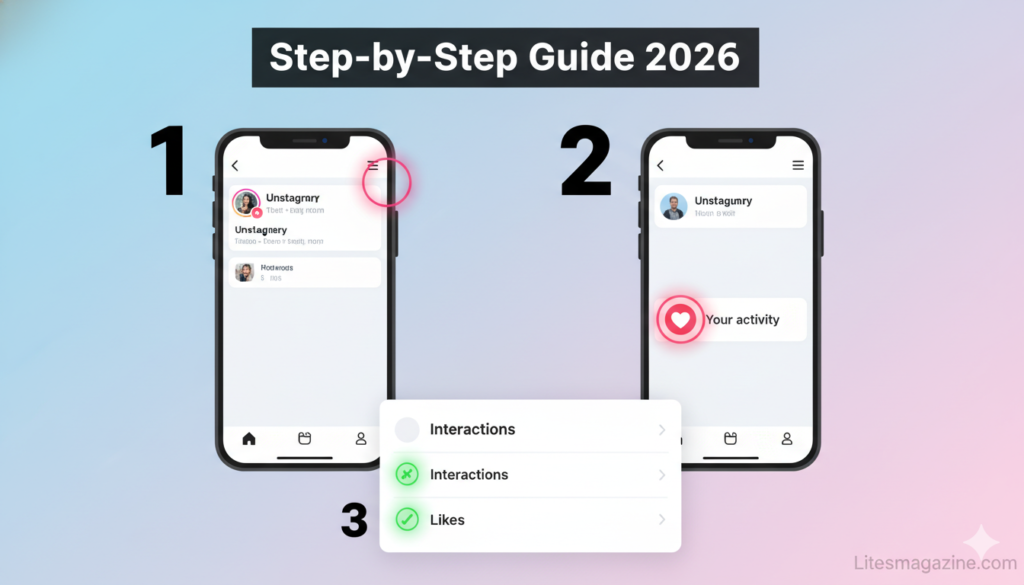
Tap the three horizontal lines (hamburger menu) in the top-right corner. This opens Instagram’s main settings and features menu.
Select “Your activity” from the menu options. This section contains all your Instagram interactions and engagement history.
Tap “Interactions” to see your engagement options. You’ll find likes, comments, and other interaction categories here.
Select “Likes” to view all posts you’ve recently liked. Instagram displays your 300 most recent liked posts in reverse chronological order.
How to See Liked Posts on Android
Android users follow nearly identical steps with minor interface differences. The 2026 Android Instagram app maintains consistent navigation.
Open the Instagram app on your Android device. Ensure you’re signed into the correct account.
Tap your profile icon located in the bottom-right navigation bar. This brings up your profile page.
Tap the three horizontal lines in the top-right corner. Android users see the same hamburger menu as iOS.
Select “Your activity” from the dropdown menu. The menu structure matches iOS for consistency.
Tap “Interactions” to access engagement categories. All your likes, comments, and other actions live here.
Select “Likes” to display your liked content. You’ll see up to 300 recently liked posts organized by date.
Filtering and Sorting Your Liked Posts
Instagram offers powerful filtering options in 2026 that make finding specific liked content much easier. These tools transform your liked posts from a chaotic list into an organized library.
The “Sort” feature lets you arrange likes chronologically. Toggle between “Most Recent” (default) and “Oldest First” to find content from different time periods.
Date range filters narrow your search significantly. Select custom date ranges to view only posts liked during specific weeks or months.
Author filters show likes from specific accounts. This proves invaluable when you remember who posted content but not when you liked it.
Content type filters separate photos, videos, and Reels. If you’re searching for a video you liked, filter out photos to speed up your search.
Combination filtering delivers powerful results. Use author and date filters together to pinpoint exactly what you’re looking for in seconds.
How to See Liked Posts on Desktop/PC
Desktop users face more limitations in 2026, though workarounds exist. Instagram’s web interface doesn’t natively support viewing liked posts.
The Instagram website lacks the “Posts You’ve Liked” feature. When you log in via browser, this option simply doesn’t appear in settings.
Browser developer tools won’t help access hidden features. Instagram’s backend doesn’t serve liked post data to web clients.
Mobile browser simulation provides one workaround. Request the mobile site version in your browser, though features may still be limited.
Third-party desktop applications sometimes offer this functionality. However, use extreme caution as these may violate Instagram’s terms of service.
The most reliable desktop solution involves downloading your Instagram data. This gives complete access to all likes but requires waiting for Instagram to compile your archive.
Using Instagram Data Download for Complete History
Downloading your Instagram data archive provides access to every post you’ve ever liked, bypassing the 300 post limit.
Navigate to Settings > Account > Download Your Information. Instagram offers this data portability feature in compliance with privacy regulations.
Select the data you want to download. Choose “Likes” specifically, or download everything for a complete archive.
Choose your file format preference. HTML format allows easy viewing in browsers, while JSON suits technical analysis.
Request your data and wait for processing. Instagram typically takes 24-48 hours to compile your information.
Check your email for the download link. Instagram sends notification when your data archive is ready.
Download and extract the archive file. Your liked posts appear in organized files with timestamps and post URLs.
How to Unlike Posts on Instagram
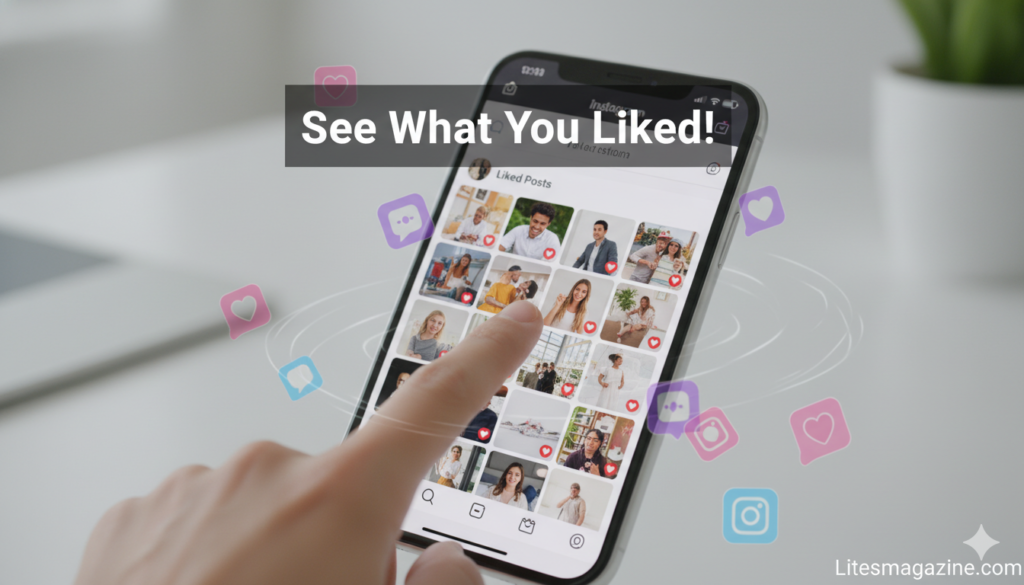
Removing likes from posts you no longer want to engage with is straightforward in 2026. The process works identically across platforms.
Navigate to your liked posts using the steps outlined earlier. Open the Likes section under Your Activity.
Find the post you want to unlike. Scroll through or use filters to locate specific content.
Tap the post to open it fully. This displays the post in your feed view with the heart icon visible.
Tap the red heart icon to unlike. The heart immediately turns white/gray, removing your like.
Bulk unlike options exist for efficiency. Tap “Select” in the top-right, choose multiple posts, then tap “Unlike” to remove multiple likes simultaneously.
Confirmation appears after unliking. Instagram confirms the action, and the posts disappear from your liked list.
Understanding Instagram Collections vs Liked Posts
Instagram offers two different saving methods that serve distinct purposes. Understanding the difference optimizes your content organization.
Liked Posts work as a temporary engagement history. They show what you’ve interacted with but weren’t designed for long-term organization.
Collections function as intentional bookmark folders. You actively save posts to named collections for future reference.
The 300 post limit affects only Likes. Collections have no such limit, allowing unlimited saved content organization.
Collections offer custom categorization. Create folders like “Recipes,” “Fitness,” or “Travel” to organize content logically.
Privacy differs between the two features. Liked posts are partially public (others see you liked their posts), while Collections remain completely private.
Best practice combines both features. Like posts as you browse, then save important ones to Collections for permanent access.
How to Save Posts to Instagram Collections
Creating and using Collections ensures you never lose important content to the 300 like limit.
Find a post you want to save permanently. This can be from your liked posts or while browsing your feed.
Tap the bookmark icon in the bottom-right corner of any post. The bookmark icon looks like a ribbon or flag.
Select an existing Collection or create a new one. Tap the plus icon to create a Collection with a custom name.
Name your Collection descriptively. Use clear names like “Workout Routines” rather than generic labels.
Save the post to your chosen Collection. The post immediately appears in that Collection folder.
Access saved Collections from your profile. Tap the hamburger menu > Saved > Select any Collection to view its contents.
Troubleshooting Common Issues
Users occasionally encounter problems accessing liked posts. These solutions address the most common 2026 issues.
“Likes not showing up” usually indicates app cache problems. Force close Instagram and reopen, or clear the app cache in device settings.
“Can only see recent likes” reflects Instagram’s 300 post limitation. Download your data archive to access complete history.
“Likes section missing” suggests app updates needed. Check your app store for pending Instagram updates and install them.
“Different accounts showing” happens with multi-account users. Verify you’re viewing the correct account by checking the username at top.
“Filters not working” may require app restart. Close and reopen Instagram, then try filtering again.
“Desktop version not showing likes” is expected behavior. Instagram intentionally restricts this feature to mobile apps only.
Privacy Considerations for Instagram Likes
Understanding the privacy implications of your likes helps you maintain control over your digital footprint.
Your likes are partially public information. When you like someone’s post, they and their followers can see you liked it.
Others cannot browse your complete liked history. While they see individual posts you liked, they can’t access your full liked posts list.
Business accounts have additional visibility tools. Businesses can see who liked their posts for marketing analytics purposes.
Unliking removes your name from the likes list. Your interaction disappears from the post’s engagement history after unliking.
Private accounts don’t hide like activity. Even with a private profile, your likes on public posts remain visible to those account’s followers.
Consider strategic liking for privacy. Only like content you’re comfortable publicly associating with your account.
Business Account Differences
Instagram Business and Creator accounts have slightly different features regarding liked posts management.
The basic liked posts access remains identical. Business accounts view their likes through the same Your Activity menu.
Analytics integration provides additional insights. Business accounts can correlate their likes with content strategy and engagement patterns.
Professional dashboard includes engagement metrics. Business users see how their likes relate to their overall Instagram presence.
Team access affects liked posts visibility. If multiple people manage a business account, all can potentially view liked content.
Content research becomes more strategic. Businesses often review liked posts to identify trending content and competitor strategies.
Instagram Lite and Liked Posts
Instagram Lite, the lightweight version popular in bandwidth-limited regions, handles liked posts slightly differently in 2026.
Core functionality remains available. Lite users can still access their liked posts through Your Activity.
Interface simplifications may affect navigation. The path to reach liked posts might differ slightly from the main app.
Feature parity improves in 2026. Instagram has expanded Lite capabilities to match the main app more closely.
Data usage stays minimal. Viewing liked posts in Lite consumes very little bandwidth compared to browsing the main feed.
Some advanced filters might be unavailable. Complex filtering options may not appear in the Lite version.
Managing Thousands of Liked Posts
Power users who’ve accumulated thousands of likes need strategic approaches to organization and management.
Regular Collection sorting prevents overwhelming clutter. Weekly reviews move important likes into permanent Collections.
Bulk unlike sessions clear outdated content. Quarterly reviews help remove likes that no longer reflect your interests.
Date range filtering makes historical searches manageable. Jump to specific months or years when seeking older content.
Author filtering works for relationship-based organization. Track content from friends, influencers, or specific brands separately.
Third-party management tools exist but require caution. Some apps claim to offer enhanced like management but may violate Instagram’s terms.
Manual documentation of must-keep posts provides backup. Screenshot or note URLs of irreplaceable content that might age beyond 300 posts.
Advanced Tips for Power Users
Instagram power users who engage heavily with content need specialized strategies for managing their liked posts effectively in 2026.
Creating a liking strategy prevents overwhelming clutter. Decide whether you like posts for discovery, bookmarking, or social reciprocity before tapping that heart.
Weekly audits keep your liked feed manageable. Schedule 10 minutes every Sunday to review recent likes and move important ones to Collections.
Category-based Collection systems work brilliantly. Create Collections like “Recipes – Breakfast,” “Recipes – Dinner,” “Fitness – Cardio,” etc., for granular organization.
Screenshot backup protects against loss. For absolutely critical content, take screenshots as backup since liked posts eventually disappear beyond 300.
URL documentation provides permanent access. Copy and paste URLs of must-keep posts into a notes app or document for future reference.
Hashtag research through likes reveals patterns. Review what hashtags appear frequently in your liked posts to understand your true interests.
Using Liked Posts for Content Ideas
Creators and businesses can mine their liked posts for content inspiration and strategy development.
Analyzing your likes reveals authentic interests. What you naturally like reflects genuine engagement more than forced niche selection.
Pattern recognition identifies content gaps. If you like lots of content about a topic you don’t create, that’s a potential niche opportunity.
Competitor research happens organically. Reviewing likes from competitor accounts shows what resonates with you about their strategy.
Timing analysis optimizes posting schedules. Note when posts you liked were published to identify optimal posting times.
Format preference becomes clear. Whether you like more Reels, carousels, or single images reveals your authentic content consumption patterns.
Caption style analysis informs your writing. Study captions from posts you liked to identify effective communication patterns.
Instagram Algorithm and Your Likes
Understanding how Instagram’s algorithm uses your likes helps you control your content experience and discovery.
Your likes heavily influence your feed content. Instagram shows more content similar to what you’ve previously liked.
Engagement patterns affect recommendations. Consistent liking of specific content types trains the algorithm to show more of that content.
The Explore page reflects like history. Posts you see in Explore directly correlate with your past engagement, especially likes.
Ad targeting uses like data extensively. Advertisers access aggregated insights about what users who like certain content also engage with.
Unlike actions reset algorithm assumptions. Unliking content signals to Instagram that its recommendations were incorrect.
Strategic liking shapes your experience. Being intentional about what you like creates a feed aligned with your actual interests.
Accessibility Features for Viewing Likes
Instagram’s 2026 accessibility improvements make viewing liked posts easier for users with different abilities.
VoiceOver and TalkBack support enhanced. Screen readers now properly announce each element in the liked posts interface.
Text size adjustments apply throughout. System-level text size changes affect the liked posts view for better readability.
High contrast mode improves visibility. Users with visual impairments can enable contrast settings that make interface elements clearer.
Reduced motion options respect preferences. Users who get motion sickness from animations see simplified transitions in liked posts.
Keyboard navigation works on tablet devices. External keyboard users can navigate through liked posts without touch interaction.
Voice control commands enable hands-free browsing. “Show my likes” and similar commands work with device voice assistants.
Instagram Reels and Liked Content
Instagram Reels receive special treatment in the liked posts system due to their unique format and engagement patterns.
Reels appear mixed with photos in liked posts. The 2026 interface doesn’t separate Reels, creating a unified liked content view.
Content type filter isolates Reels specifically. Use filtering to view only liked Reels when searching for video content.
Reels tend to accumulate quickly. Short-form video’s addictive nature means users often like dozens of Reels daily.
Audio information isn’t preserved in liked view. You see the Reel but can’t browse by audio track in liked posts.
Reels from Explore count toward your 300. Discovery-based likes fill your limit as quickly as follower content likes.
Security and Account Recovery
Understanding how liked posts relate to account security and recovery proves valuable in various scenarios.
Liked posts help verify account ownership. Instagram support may ask about recent likes to confirm you’re the legitimate owner.
Suspicious like activity indicates account compromise. If your liked posts include content you didn’t engage with, your account may be hacked.
Like history assists in account recovery. When recovering a hacked account, explaining your typical likes helps prove identity.
Downloaded data archives preserve evidence. Saving your Instagram data creates a backup of your account activity including all likes.
Regular like reviews catch unauthorized access early. Weekly checks of recent likes can reveal if someone else accessed your account.
Comparing Instagram to Other Platforms
Understanding how Instagram’s liked posts feature compares to similar features on other social platforms provides useful context.
Facebook’s “Activity Log” offers more comprehensive history. Meta’s flagship platform shows all likes without a 300-post limit.
Twitter/X lacks a dedicated liked tweets interface. While you can view liked tweets, the organization and filtering options are inferior.
TikTok’s favorites system works differently. TikTok separates likes from favorites, with favorites being intentional bookmarks.
Pinterest’s saved pins provide better organization. Pinterest was built for saving content, making it superior for long-term collection building.
YouTube’s liked videos remain accessible indefinitely. Google’s video platform doesn’t impose arbitrary limits on like history.
LinkedIn shows liked posts chronologically only. Professional network’s likes feature lacks Instagram’s filtering sophistication.
Psychology Behind Instagram Likes
Understanding the psychological aspects of liking posts helps you develop healthier social media habits.
Likes trigger dopamine release. Tapping the heart icon activates your brain’s reward system, creating minor addictive patterns.
Social reciprocity influences liking behavior. People often like posts from those who liked their content, creating obligation dynamics.
FOMO drives excessive liking. Fear of missing out makes users like posts they might want to reference later.
Identity expression motivates strategic likes. What you like publicly signals your values, interests, and social allegiances to others.
Validation seeking affects creator likes. Content creators often like posts from followers to encourage continued engagement.
Habit formation makes liking automatic. Many users like posts reflexively without conscious consideration of the content.
Instagram’s Like History Over Time
Instagram’s approach to likes has evolved significantly since the platform’s launch. Understanding this history provides perspective on current features.
Original Instagram lacked like history viewing. Early users couldn’t access their past likes at all.
The feature appeared around 2018-2019. Instagram added like viewing in response to user requests for better content organization.
The 300-post limit was introduced later. Initially, users could see more liked content before Instagram implemented restrictions.
Desktop support was never fully implemented. Instagram consciously kept this feature mobile-only from its introduction.
Privacy controls have gradually improved. Users gained more granular control over like visibility over time.
Integration with Collections came afterward. The bookmarking system developed separately and later complemented likes.
Third-Party Apps and Services
Various third-party applications claim to enhance Instagram liked post management, though users should approach these cautiously.
Browser extensions promise desktop access. Some Chrome and Firefox extensions claim to show liked posts on desktop browsers.
Mobile apps offer enhanced organization. Third-party Instagram clients sometimes include superior like management features.
Terms of service violations risk account suspension. Instagram explicitly prohibits many third-party app functionalities.
Security risks accompany third-party access. Granting account access to external apps creates potential security vulnerabilities.
Data privacy concerns should inform decisions. Third-party apps may collect and sell your Instagram engagement data.
Official features usually catch up eventually. Patient users often see Instagram implement features that third-party apps pioneered.
Future of Instagram Likes in 2026
Instagram continues evolving its likes feature based on user feedback and platform strategy. Understanding trends helps you adapt.
The 300 post limit may expand. User advocacy for increased limits could influence future updates.
AI-powered organization appears in testing. Smart categorization of liked posts by content type might arrive soon.
Cross-platform integration grows stronger. Liked posts may sync better across Instagram, Facebook, and Threads.
Privacy controls become more granular. Users might gain options to hide like activity more selectively.
Creator tools expand around likes. Professional accounts may get enhanced liked post analytics.
Alternative engagement metrics emerge. Instagram experiments with different ways to measure and display engagement beyond simple likes.
Frequently Asked Questions (FAQs)
How do I see what I liked on Instagram?
Open Instagram, tap your profile, select the three lines menu, choose “Your activity,” tap “Interactions,” then select “Likes.” This shows your 300 most recently liked posts.
Can I see liked posts on Instagram web/desktop?
No, Instagram’s website doesn’t support viewing liked posts. You must use the mobile app on iPhone or Android, or download your Instagram data archive for desktop access.
Why can I only see 300 liked posts?
Instagram limits liked post history to 300 items for performance and privacy reasons. For complete history, download your Instagram data archive through account settings.
How do I unlike multiple posts at once on Instagram?
In your Likes section, tap “Select” in the top-right corner, choose multiple posts by tapping them, then tap “Unlike” at the bottom to remove likes in bulk.
Can others see what posts I’ve liked on Instagram?
Others can see you liked their specific posts but cannot browse your complete liked history. Your full liked posts list remains private to your account only.
How do I filter my liked posts by date or person?
Open your Likes section, tap the filter icon at the top, then select date ranges, specific authors, or content types to narrow down your liked posts list.
What’s the difference between liked posts and saved posts?
Liked posts show engagement history (limited to 300), while saved posts (Collections) are intentional bookmarks with no limit, better for permanent organization.
How long does Instagram keep my liked posts?
Instagram keeps only your 300 most recent likes visible in-app. Older likes exist in your downloadable data archive but don’t appear in the app interface.
Can I export my Instagram liked posts history?
Yes, request your Instagram data download through Settings > Account > Download Your Information. Select “Likes” and Instagram emails you a complete archive within 48 hours.
How do I save important liked posts permanently?
Use Collections instead of relying on Likes. Tap the bookmark icon on posts and save them to named Collections, which have no 300-post limit.
Conclusion
How to see what you liked on Instagram in 2026 involves navigating to Your Activity through your profile’s settings menu and selecting the Interactions > Likes path.
While Instagram limits visible liked posts to 300 recent items, the platform offers robust filtering, sorting, and organization tools to help you find specific content quickly.
For long-term content preservation, using Instagram Collections alongside the Likes feature ensures you never lose access to important posts.
Whether you’re on iPhone, Android, or need desktop access through data downloads, multiple methods exist to manage your Instagram engagement history effectively.
Understanding these features transforms your Instagram experience from passive scrolling to active content curation and organization.