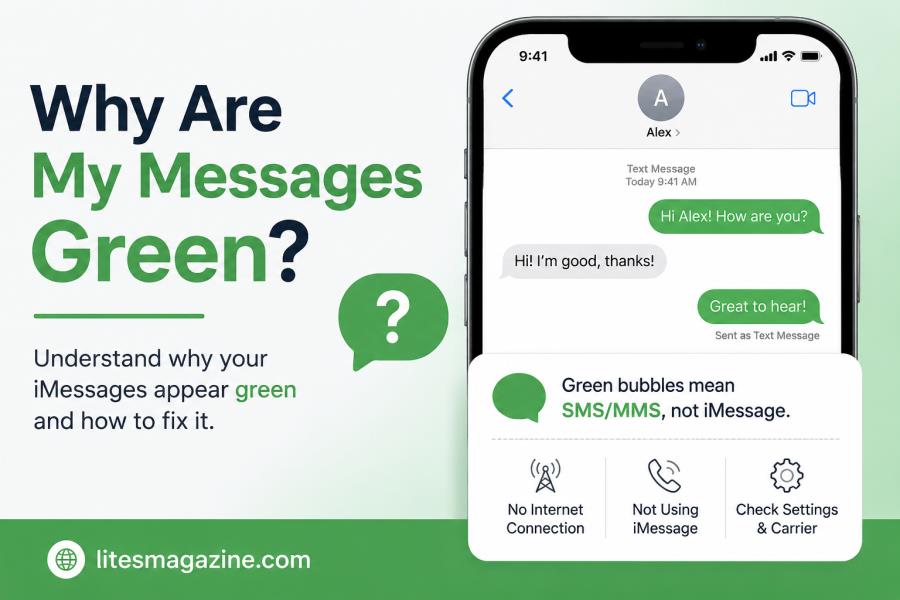
So you just sent a text and the bubble came out green. Maybe it used to be blue. Maybe it’s always been green with this one person. Either way, you’re now wondering why are my messages green — and honestly, it’s one of the most Googled iPhone questions out there.
The answer isn’t complicated. But it does depend on a few things, so let’s go through it properly.
The Simple Explanation First
Your iPhone uses two different systems to send messages.
One is iMessage — Apple’s own messaging platform. It works over Wi-Fi or mobile data, only between Apple devices, and shows up as blue bubbles.
The other is SMS and MMS — old-school texting that runs through your carrier’s network. That one works with any phone. And it shows up green.
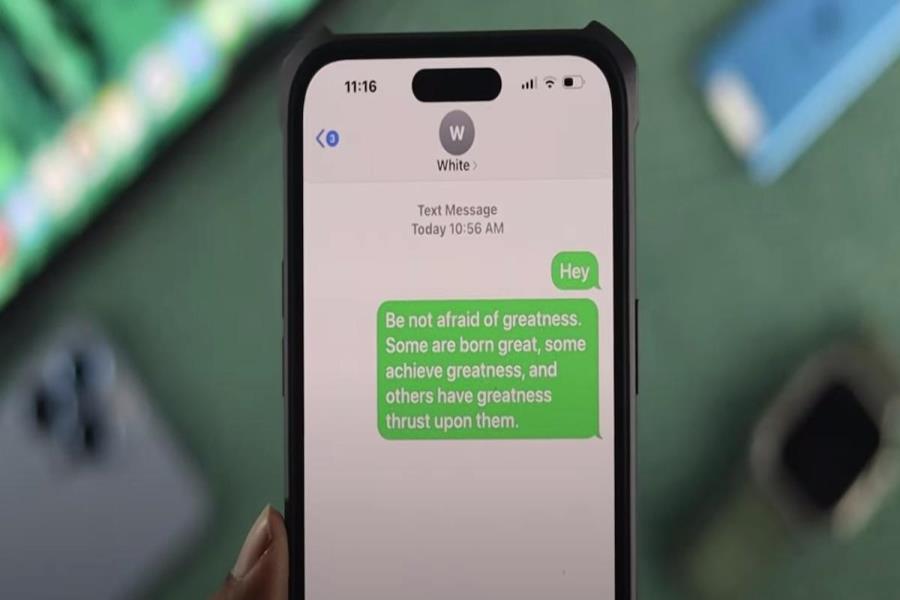
So when you see a green bubble, your message goes out as a regular text. Not through iMessage. That’s the whole story at its core.
Green doesn’t mean something broke. It means your iPhone switched to SMS — either because it had to, or because iMessage wasn’t available at that moment.
Why Are My Messages Green? The Real Reasons
There’s more than one thing that can cause this. Here’s why are my messages green actually happening depending on your situation.
The Person You’re Texting Uses Android
This is the number one reason. Full stop.
iMessage is Apple-only. If your contact has a Samsung, a Google Pixel, or any Android phone, your iPhone can’t send them an iMessage. It automatically falls back to SMS. Green bubble every time, no exceptions.
No settings change on your end will fix this. It’s just how the two systems work together — or rather, don’t.
iMessage Is Switched Off on Your Phone
If iMessage is disabled in your settings, every single message you send goes as SMS. Even to other iPhone users. Even your mom who’s had an iPhone for years.
Go to Settings → Messages and check if the iMessage toggle is on. If it’s grey, flip it on. Give it a minute to activate, then try again.
Read Also: Why Is My Phone On SOS?
The Other Person Has iMessage Off
Here’s one people don’t think about. Even if your iMessage is working perfectly, if the person you’re texting has iMessage turned off on their end, your phone can’t reach their iMessage account. So it sends green.
You can’t change this from your side. They’d have to go into their own settings and turn it on.
Your Internet Connection Dropped
iMessage runs on data. No Wi-Fi, no strong mobile signal — no iMessage. Your phone doesn’t just fail to send. It quietly switches to SMS and sends green instead.
This happens a lot in lifts, basements, rural areas, or anywhere the signal is patchy. Once you’re back on a decent connection, iMessage usually picks back up on its own.
Their Phone Is Off or Out of Signal
If the person you’re texting has their phone off, is on a flight, or just has no service — iMessage can’t reach them. After trying for a bit, your iPhone gives up and sends it as an SMS. Green bubble, no “Delivered” notice.
You Might Have Been Blocked
This one’s uncomfortable, but people ask about it constantly — so it’s worth being straight about.
If someone blocks you on your iPhone, iMessages can’t get through. Sometimes the phone tries SMS instead, which shows green and no delivery confirmation. But this same thing can happen for other reasons too, so don’t take a green bubble as proof of a block. It’s one possible cause among several.
Apple’s Servers Are Having Issues
It happens. iMessage goes down sometimes. When it does, messages between iPhone users can fall back to SMS and come through green.
You can check apple.com/support/systemstatus — it shows a live status for all of Apple’s services including iMessage.
Quick Answers
| Question | Answer |
| Why are my messages green when texting another iPhone user? | iMessage is likely off on your device or theirs, or there’s no internet connection available. |
| Does green mean I’ve been blocked? | Not automatically. Green plus no “Delivered” status could suggest it, but there are other explanations. |
| Why did my messages suddenly go green? | Your data dropped, iMessage got disabled, or the contact switched to Android or turned iMessage off. |
| Are green messages free to send? | Depends on your plan. SMS can come out of your text allowance. iMessage uses data instead. |
| Can I turn green messages back to blue? | Yes — if both phones have iMessage on and a working internet connection, it switches back. |
| Do green messages send lower quality photos? | Yes. MMS compresses media quite a bit. iMessage keeps the quality much higher. |
| Why are my messages green on a new iPhone? | iMessage probably hasn’t finished activating yet. Give it a few minutes, or check your settings. |
iMessage vs SMS — What You’re Actually Losing
The green vs blue thing isn’t just visual. There are real differences in what you get.
| Feature | iMessage (Blue) | SMS/MMS (Green) |
| Works with | Apple devices only | Any phone |
| Sends over | Wi-Fi or mobile data | Carrier network |
| Delivery receipts | Yes | Rarely |
| Read receipts | Yes (if enabled) | No |
| Typing indicators | Yes | No |
| Photo/video quality | High | Compressed |
| Encryption | End-to-end | Not encrypted |
| Cost | Free (uses data) | May use SMS allowance |
| Works without data | No | Yes |
SMS still gets your message where it needs to go. But you lose the extras — no read receipts, no typing bubbles, compressed photos, no encryption. If that matters to you, iMessage is clearly the better option when both sides support it.
Why Did My Messages Suddenly Turn Green?
If things were blue before and now they’re green, something changed. Work through these:
Your signal dropped. If you moved somewhere with weak data, your phone may have switched to SMS temporarily. Check your connection and see if it corrects itself.
They switched phones. If your contact recently moved from iPhone to Android, your messages to them will be green from now on. That’s just the new normal.
iMessage got reset after an update. This doesn’t happen often, but iOS updates can occasionally reset messaging settings. Check that iMessage is still toggled on.
You changed your Apple ID or number. iMessage ties to both. If either one changed, iMessage may need a few minutes — or a manual reactivation — to get back online.
How to Fix Green Messages on iPhone
Work through these in order. Most people find the fix in the first two steps.
Step 1 — Confirm iMessage is on Settings → Messages → iMessage should be green/on
Step 2 — Check your internet connection Try loading a webpage. If it won’t load, your data is the problem, not iMessage.
Step 3 — Sign out of Apple ID and back in Settings → [Your Name] → Sign Out, then sign back in. This re-registers your iMessage account.
Step 4 — Reset network settings Settings → General → Transfer or Reset iPhone → Reset → Reset Network Settings Fair warning: this wipes saved Wi-Fi passwords.
Step 5 — Contact Apple Support If none of the above works, something may be wrong at the account level. Apple Support can check that.
Does Green Mean the Message Failed?
No. This is a common misunderstanding.
Green means SMS. SMS still delivers. In some situations — bad data, no Wi-Fi, the other person’s phone being on but connected to a weak signal — SMS is actually more reliable than iMessage because it runs on the cellular network directly.
What you won’t get is a “Delivered” stamp in most cases. That’s not the same as the message failing. It just means you have less visibility into what happened after it left your phone.
If you genuinely need to know someone got your message, the easiest thing is to just call or ask them outright.
A Note on Android and RCS
Android users will never see blue bubbles. iMessage doesn’t exist on Android, so they receive everything as a standard text regardless of what you send.
There’s been a shift recently though. Apple added RCS support in iOS 18. RCS sits somewhere between SMS and iMessage — better media quality, some delivery features, and works cross-platform. It won’t turn your bubbles blue, but it does close some of the gap between iPhone and Android texting.
The green vs blue divide is still there. But it’s slightly less of a wall than it used to be.
Related Terms
- why are my texts green
- iMessage not working
- blue bubble vs green bubble
- why did my messages turn green
- SMS vs iMessage
Read Also: DreamWithJeff.com What It Is & Why Everyone Is Talking About It
Quick Diagnosis Table
| What you’re seeing | Most likely cause |
| Suddenly green after always being blue | Data dropped or iMessage server issue |
| Always green with one specific person | They’re on Android or have iMessage off |
| Green with everyone | iMessage is turned off on your phone |
| Green and no “Delivered” at all | Possible block, or they have no service |
| Green right after resetting your phone | iMessage needs to reactivate |
So — Why Are My Messages Green?
Nine times out of ten it’s one of three things: the person has Android, iMessage is off somewhere, or your internet wasn’t available when you hit send.
Green messages aren’t broken. They still get through. But if you want to read receipts, better photo quality, and encrypted conversations, you need iMessage working on both ends.
Check your settings. Check your connection. If both look fine, the issue is probably on their side — and that’s not something you can fix from your phone.
Why are my messages green has a simple answer once you know what to look for. Now you do.
FAQs:
Q: Why are my messages green?
Your messages are green because they were sent as SMS or MMS instead of iMessage. This happens when the recipient uses Android, when iMessage is turned off, or when there’s no internet connection available on either device.
Q: Why are my messages green when texting another iPhone user?
iMessage is either turned off on your phone or theirs. Go to Settings → Messages and make sure iMessage is enabled. If yours is on, ask the other person to check theirs.
Q: Does the green message mean I am blocked?
Not necessarily. Green messages mean SMS was used instead of iMessage. If you’re also not seeing a “Delivered” status, a block is possible — but lost signal or iMessage being off can cause the same thing.
Q: Why did my messages suddenly turn green?
Your internet connection likely dropped, iMessage got disabled after an update, or the person you’re texting switched to Android or turned iMessage off on their end.
Q: How do I fix green messages on my iPhone?
Go to Settings → Messages and turn iMessage on. Check your internet connection. If it’s still green, sign out of your Apple ID and back in. That reactivates iMessage in most cases.
Q: Are green messages delivered?
Yes. Green messages sent through your carrier’s SMS network and still reach the recipient. You just won’t see a “Delivered” or “Read” receipt like you do with iMessage.