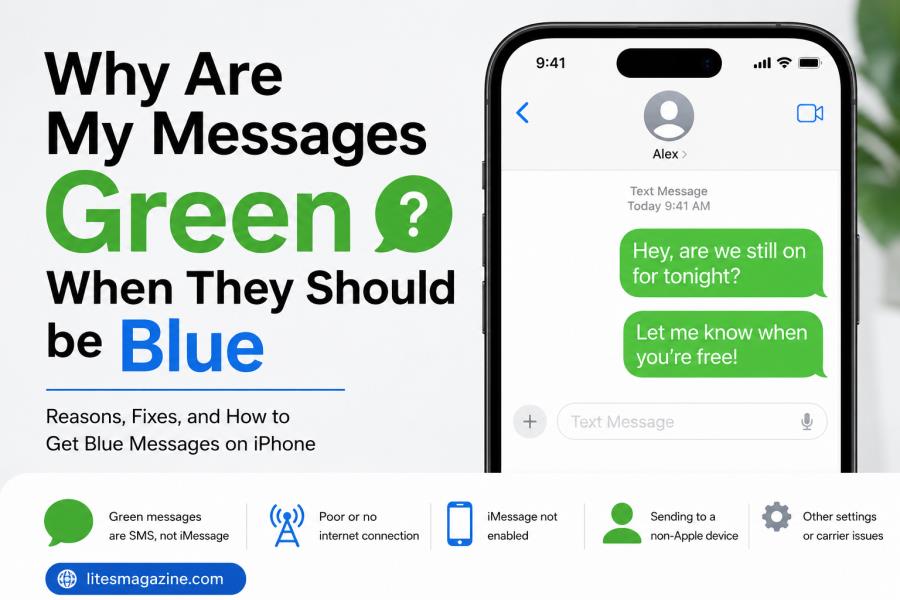
You have texted your friend. You were expecting that creepy blue bubble. However, you received a Green one! Now you’re staring at your phone wondering — why are my messages green when they should be blue? You’re not alone. This is the same problem experienced by millions of iPhone users on a daily basis. But no, it does not imply that your phone is broken.
The short answer? Green means your text was not sent as an iMessage. However, there are a number of possible explanations for such a transition. Let’s take a dig at it so you know what happened and how to remedy it.
What Do Blue and Green Messages Actually Mean?
Before we fix anything let’s get clear on the basics.
| Bubble Color | Message Type | What It Means |
| Blue | iMessage | Sent through Apple’s servers over Wi-Fi or cellular data between Apple devices |
| Green | SMS / MMS | Sent through your carrier’s cellular network as a traditional text message |
The blue bubbles are Apple’s own iMessage service. They operate between iPhones, iPads and Macs. They require Internet access. Green bubbles are normal text messages. They operate via your phone provider like text messages did in 2005.
The color change is not a coincidence. It provides you with a certain information about the way your message was sent from your phone to theirs.
Why Are My Messages Green When They Should Be Blue? Top Reasons
Here are the most common reasons your messages flip from blue to green.
1. The Other Person Switched to Android
This is the number one reason. If your friend traded their iPhone for a Samsung or Pixel phone their device no longer supports iMessage. Every text you send them will go through as SMS. Green bubble. Every time.
2. iMessage Is Turned Off on Your Phone
Check your settings. Go to Settings > Messages and look at the iMessage toggle. If it’s off your phone sends everything as SMS by default. This happens more often than people think — especially after a software update or a phone reset.
3. No Internet Connection
iMessage needs Wi-Fi or mobile data to work. If you’re in an area with poor signal or your data is turned off your iPhone will fall back to SMS. That’s why the bubble turns green. Your phone is doing its best to still deliver the message.
4. The Recipient’s Phone Is Off or in Airplane Mode
If the person you’re texting has their phone turned off or sitting in airplane mode iMessage can’t reach their device. After a short delay your iPhone may automatically resend the message as an SMS.
5. Apple’s iMessage Servers Are Down
It’s rare but it happens. When Apple’s servers experience outages iMessage stops working temporarily. Your phone switches to SMS until the servers come back online.
6. The Recipient Deregistered Their Number from iMessage
When someone moves from iPhone to Android they need to deregister their phone number from iMessage. If they didn’t do this properly messages can get lost or sent as green SMS texts.
Read Also: Why Do My AirPods Keep Disconnecting? (And How To Fix It)
How to Fix Green Messages on iPhone
Here’s a quick-reference table for troubleshooting.
| Problem | Fix |
| iMessage toggled off | Go to Settings > Messages > Turn on iMessage |
| No internet connection | Connect to Wi-Fi or enable mobile data |
| Recipient switched to Android | Nothing to fix — SMS is the only option |
| iMessage server outage | Wait for Apple to resolve the issue |
| Software glitch | Restart your iPhone and try again |
| Recipient didn’t deregister | Ask them to visit Apple’s deregister page |
If you’ve checked all of these and your messages are still green there might be a carrier-level issue. Contact your mobile provider and confirm that your messaging services are active.
Does a Green Message Mean You’re Blocked?
This is probably the most common worry. You see that green bubble and your first thought is — did they block me?
Here’s the truth. A green message alone does not confirm you’ve been blocked. It just means the message was sent as an SMS. There are dozens of reasons that could happen without blocking being involved.
That said there are a few signs that might point to being blocked:
- Your calls go straight to voicemail every time
- You never see “Delivered” or “Read” under your messages
- Your iMessages to that person always turn green after a delay
Even with all of those signs you still can’t be 100% sure. The only real way to confirm is to reach out through a different method or ask someone else.
iMessage vs SMS: What You Lose with Green Bubbles
When your messages go green you lose more than just the color. Here’s what changes.
| Feature | iMessage (Blue) | SMS/MMS (Green) |
| End-to-end encryption | Yes | No |
| Read receipts | Available | Not available |
| Typing indicators | Yes | No |
| High-quality photo sharing | Yes | Compressed images |
| Group chat features | Full | Limited |
| Message reactions | Native | Sent as text descriptions |
| Wi-Fi sending | Yes | No — requires cell signal |
That’s a real downgrade. Especially for group chats where things get messy fast when green and blue messages mix together.
RCS: The Future Fix for Green Bubbles?
With support for RCS (Rich Communication Services), starting from the iOS 18 version, Apple is preparing to expand its messaging capabilities. RCS is a rollout of SMS. Enables cross-platform texting with features such as read receipts, typing indicators and improved media sharing.
The problem is, however, that… RCS messages continue to appear as green bubbles. Apple retained the colour difference. The overall experience is enhanced, but the difference between iPhone-to-Apple and iPhone-to-Android texting remains.
RCS will not be replacing iMessage. It acts as a backup to SMS. That is, green bubbles will be more effective but still be green.
Short Answers
| Question | Short Answer |
| Why did my messages turn green? | Your iPhone sent an SMS instead of iMessage due to connection issues or settings changes. |
| Does a green text mean I’m blocked? | Not necessarily. Green texts usually mean iMessage is unavailable for that contact. |
| How do I get my messages back to blue? | Turn on iMessage in Settings and make sure you have an active internet connection. |
| Can I send iMessage to Android? | No. iMessage only works between Apple devices. Android gets SMS texts. |
| Why are my texts green to one person? | That person likely uses Android or has iMessage turned off on their device. |
| Does green mean the message didn’t deliver? | No. Green means it is sent as SMS. It still delivers to the recipient. |
Quick Checklist: Getting Your Blue Bubbles Back
Run through this list if you want to troubleshoot the problem fast.
- Open Settings > Messages and confirm iMessage is on
- Check your Wi-Fi or mobile data connection
- Restart your iPhone
- Ask the other person if they still use an iPhone
- Make sure your Apple ID is signed in under Messages settings
- Update to the latest version of iOS
- Reset network settings if nothing else works (Settings > General > Transfer or Reset iPhone > Reset > Reset Network Settings)
Nine times out of ten one of these steps will solve it.
Final Thoughts
So, why are my messages green when they should be blue?
It can usually be one of two things. The person you’re talking to isn’t on iMessage yet. You lost data connectivity on your phone for some reason. It is generally not reflective of a serious problem.
There’s no such thing as a green bubble. They simply indicate another way you sent your message. It matters more that your text makes it to the recipient, rather than the exact form the text takes. Check your settings. Be sure to enable iMessage. Check for a stable connection. What if the other person got on to Android? The green bubble isn’t going away.
You now understand the significance of these colors and how to return to blue should you be able to. No stress needed.
Read Also: Why Is Uhoebeans Software Update So Slow? 9 Hidden Reasons
FAQs:
Why are my messages green when they should be blue?
You received a text message which was not an iMessage. This typically occurs when you disable iMessage, lose internet connection or if the other person doesn’t have an apple device.
Does a green text message mean I’m blocked?
No. A green bubble does not necessarily indicate that someone blocked you. That’s simply because the message was sent by SMS. Other symptoms of blocking include no “Delivered” status and calls being directly forwarded to voicemail.
How do you fix messages green when they should be blue?
Tap Settings on your iPhone. Tap Messages. Check the iMessage switch is turned on. Afterwards, make sure you are on WiFi or cell service. If it does not work, restart your mobile phone.
Why are my texts green to only one person?
That person most likely switched to an Android phone. Or they turned off iMessage on their device. Either way your iPhone can’t reach them through iMessage so it defaults to SMS.
Will RCS fix the green bubble problem?
Not exactly. RCS makes green bubble texts better with features like read receipts and higher quality photos. But those messages still show up as green. Apple keeps blue exclusively for iMessage conversations between Apple devices.
Can I send an iMessage to someone on Android?
No. iMessage is an Apple-only service. It works between iPhones, iPads, and Macs. Any message you send to an Android phone goes through as SMS or RCS and always appears in a green bubble.